Changelog
Integration Health Is Easier to See
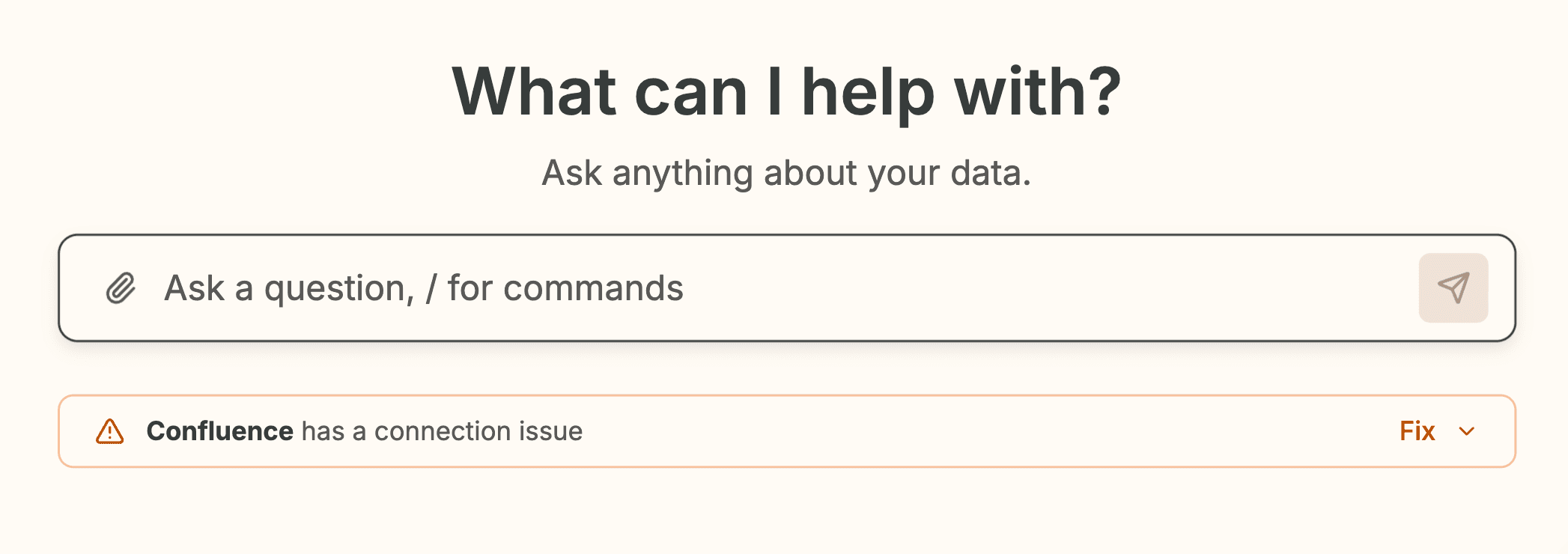
If a source needs to be re-authenticated, Humm now tells you directly with a banner instead of leaving you to infer it from missing data. The integrations sources list also shows per-source status badges like Healthy, Auth Failed, Disconnected, Syncing, and Disabled, so you can tell what is broken and what is just in progress at a glance.
Jira Product Discovery Is Now a First-Class Connector
Humm now includes a dedicated Jira Product Discovery connector, which lets you pull JPD insights into the system with a connector designed for that product instead of treating it as a Jira edge case. In practice, that means cleaner setup, more reliable project resolution, and a better path for analyzing product feedback and insight snippets tied to JPD projects.
Markdown, Math, and Reports Render More Cleanly
We migrated markdown rendering onto a new pipeline that does a better job with richer answer content, including math, structured formatting, and report details. This is the kind of change you mostly notice because things stop looking fragile: fewer formatting oddities, cleaner report run details, and more consistent rendering across thread content.
Improvements
Polished spacing and alignment on the integrations sources page so the list reads more cleanly.
Bug Fixes
Fixed Jira Product Discovery OAuth routing issues that could block the connector from working reliably.
Fixed the organization switcher so keyboard focus no longer gets trapped after an org change.
Fixed Jira Product Discovery site resolution in production.
See Command Creator and Run History
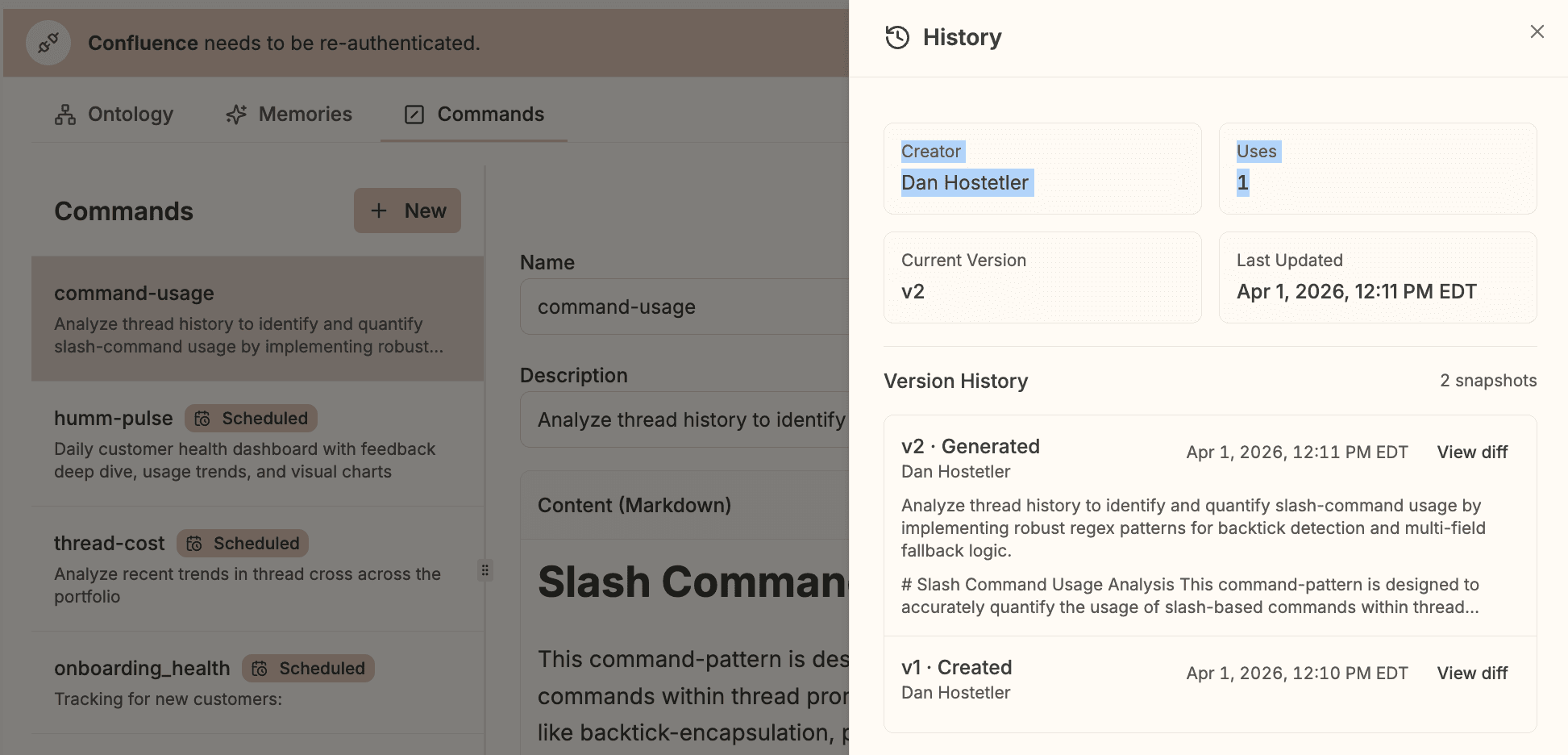
You can see who created a command, how often it has been used, which version is current, and what changed over time.
Edit Commands Directly from Reports
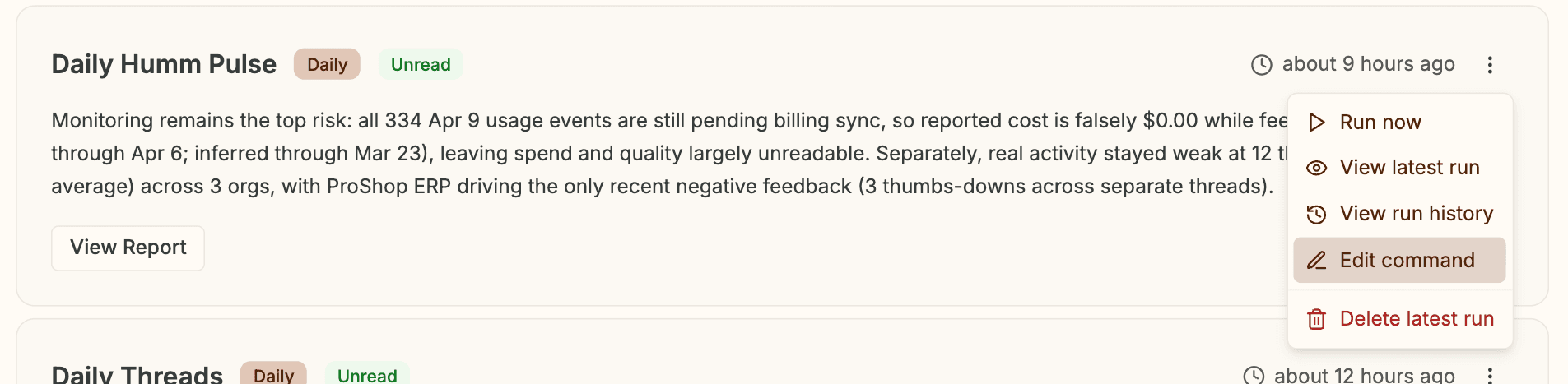
Reports and commands are linked more cleanly now. You can jump from a report row straight into the related command, and report tool output now uses the same left-column and side-panel layout as threads, which makes inspection less awkward.
Smoother Scheduling for Reports
Creating a scheduled command is less fiddly. You can add subscribers before the first save, and the scheduling dialog now stays usable on shorter screens instead of pushing the footer off the page.
Improvements
Follow-up questions in threads now hold their state more consistently. Less jumping in UI.
Analyst users no longer see organization settings they cannot actually use.
Follow-up suggestion chips now come from backend suggestions only, which should make them feel less random.
Bug Fixes
Fixed scheduled report runs that could fail or finalize incorrectly.
Fixed report comparison event dispatch that could duplicate finalization work behind the scenes.
Fixed thread follow-up polling races that could kill optimistic UI state until refresh.
Fixed report tool-panel sizing so the main content and side panel behave more like the standard thread layout.
Fixed command scheduling modal sizing on short viewports.
16 New Data Sync Connectors
Humm now supports 16 more data sync connectors:
Basecamp
Customer.io
Delighted
Freshdesk
GitLab
Help Scout
Meta Ads
Monday
Paddle
Productboard
Recurly
Statsig
SurveyMonkey
Trello
Typeform
Zoho CRM
Once connected, these sources flow through the sync pipeline into queryable data sources for analysis and reporting.
Threads That Keep Their Place
Deep-linked threads now behave much more consistently when you open them with an orgId, switch organizations, or refresh the sidebar. We also fixed thread ordering and duplicate-thread edge cases, so the list you see is closer to the thread state you actually expect.
Commands and Clarifications That Finish Cleanly
Creating a command from a thread is now more reliable across navigation, with clearer generating and failed states while the command is being built. You can move around the app without losing the generation state, and the Commands screen now updates when the command is ready.
We also fixed ask-human clarification flows so custom Other answers can continue normally instead of stalling the interaction. Small change, very noticeable when you're in the middle of a thread and just trying to answer the question in your own words.
Cleaner Agent and Tool Output
Tool results now arrive in a more structured format, which gives the UI a better shot at showing failures, auth issues, empty results, and successful runs correctly. On the user side, that means clearer tool-call states inside threads and less ambiguity about whether Humm actually got what it needed.
We also tightened GPT-5.4 prompt and routing behavior across the analyst stack. The change is under the hood, but the intended outcome is visible: better tool selection, better recovery from tool errors, and less wandering in complex analyses.
Improvements
Data tables now default to 10 rows per page instead of 25, which cuts down on visual clutter in larger result sets.
Sidebar and profile UI got a small cleanup pass across link colors, chips, avatars, and organization-name overflow.
Intercom conversation search was tightened up to be more reliable for larger queries.
Bug Fixes
Fixed deep-link thread handling when switching organizations, including sidebar refresh and selected-thread recovery.
Fixed duplicate thread creation after proxy timeout retries.
Fixed command generation state getting lost across navigation.
Fixed clarification cards so custom
Otherresponses can continue instead of blocking submission.Fixed Intercom query timeouts caused by an overly aggressive proxy path.
Faster setup, cleaner workflows
This past wee we reduced friction in connecting tools, waiting on catalog updates, and working through threads. Humm now also adapts to different user role and model preferences without adding more setup work.
Jira auth that behaves
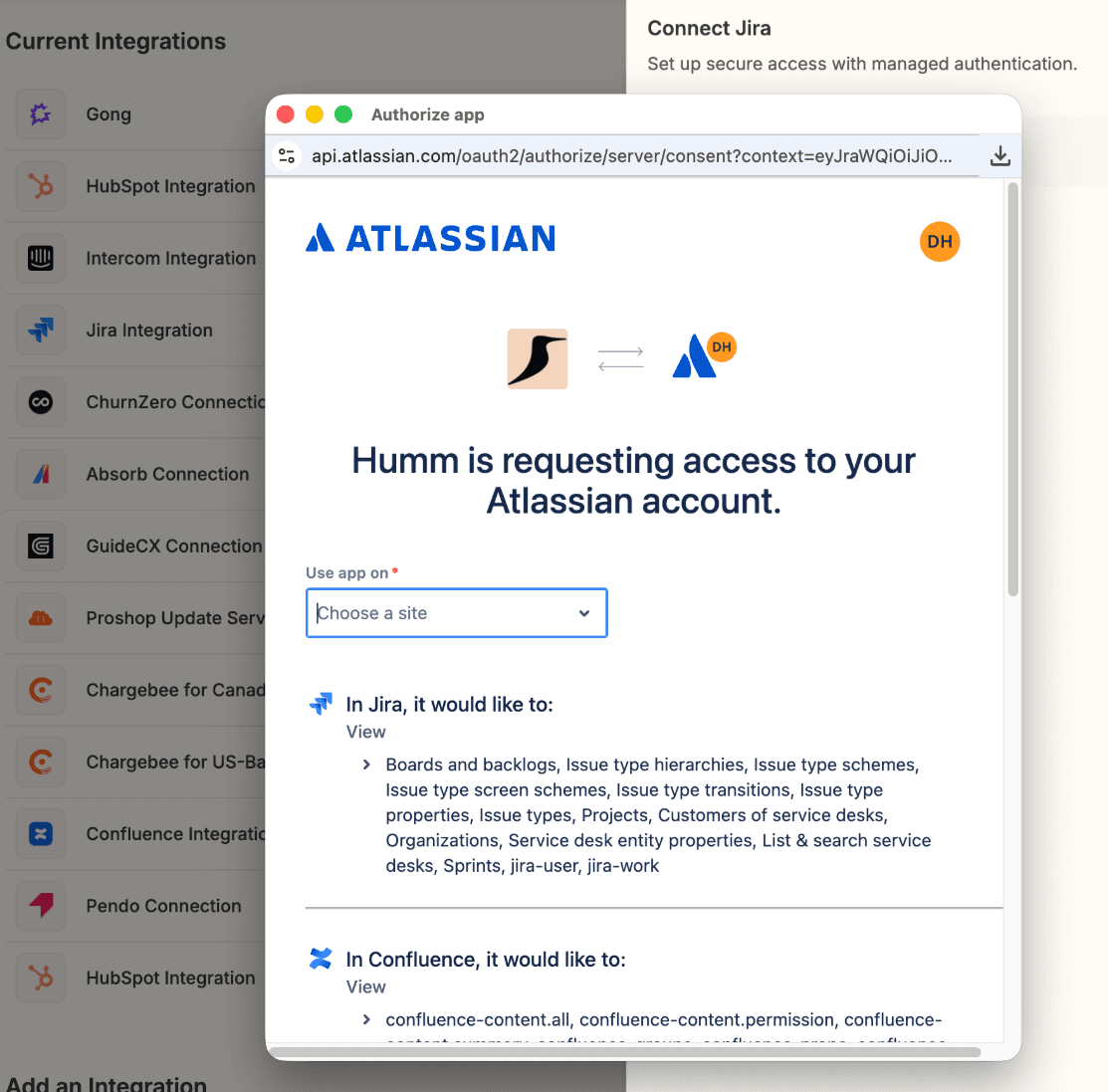
You can now connect Jira through a direct Atlassian OAuth flow in the product, instead of relying on a more fragile setup path behind the scenes. We also tightened the Jira connection and query behavior, so re-auth, project-scoped searches, and comment search are more reliable once you're connected.
Catalog updates that stay live
Long-running data catalog updates now keep the UI in sync while the work is happening, rather than leaving you to refresh and guess when a job finished. That applies across generated descriptions and catalog edits, which makes larger source cleanup work much less clunky.
More roles, more model range
Humm now has built-in role prompts for marketing specialists, data analysts, operations leaders, operations specialists, and HR users. We also expanded the supported model list, so teams have more room to choose the right speed and reasoning profile for a given task.
Improvements
Billing timeframe selections now persist as you move between billing views.
Reports has a more useful empty state instead of a dead-end screen.
Data catalog column counts now display correctly in the source catalog UI.
Gong transcript access is constrained to a single transcript at a time, which makes the behavior clearer and more predictable.
Bug Fixes
Fixed Jira Cloud introspection issues that could block or confuse setup.
Fixed Jira JQL project scoping issues around
ORDER BYqueries.Fixed Jira comment search to use the correct search endpoint.
Fixed MCP connection status handling so auth state is reported more accurately in integrations UI.
Smarter Threads, Smoother Flow
This release focused on the parts of Humm people touch all day: asking the next question, sharing work across a team, and moving through integrations without UI dead ends. You should see better follow-up prompts in threads, clearer ownership on shared work, and fewer places where the product gets in your way.
Suggested Next Questions
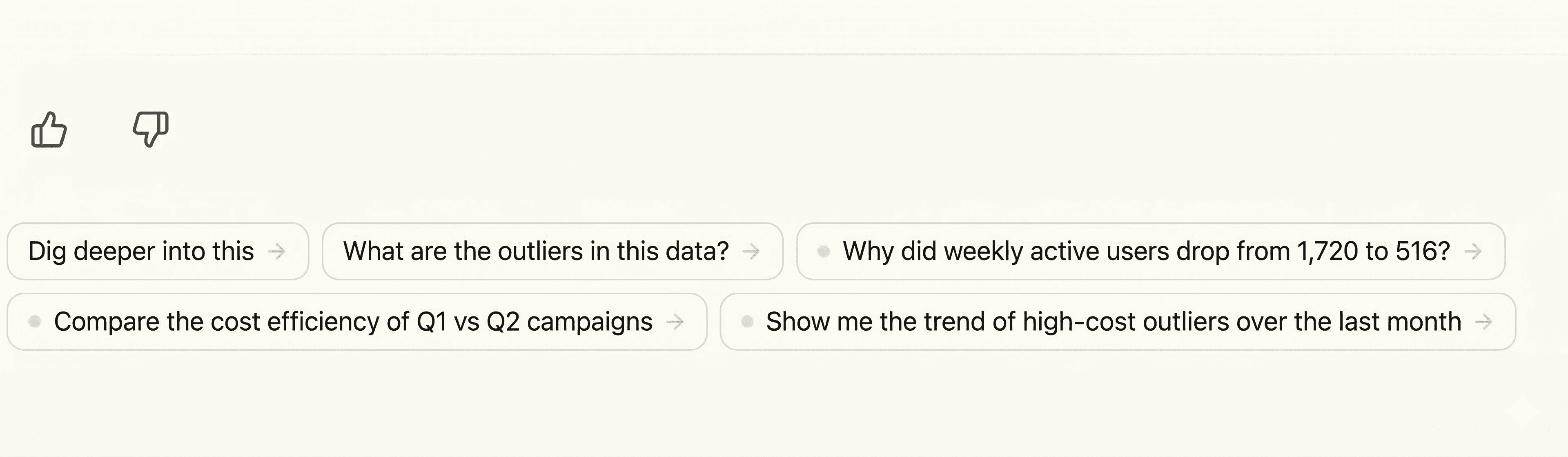
Humm now suggests follow-up questions directly under the latest AI response, so you can keep a thread moving without retyping the obvious next step. The suggestions combine fast defaults with model-generated ideas, which means they show up quickly and still feel specific to the analysis you just ran.
Shared Threads, Less Guesswork
Shared threads now show who started them in both the sidebar and the thread header, with clearer waiting states when Humm is expecting a specific teammate to respond. We also fixed a shared-thread follow-up issue that could leave a conversation in a bad state after the next question, which makes collaboration a lot less fragile.
Cleaner Connector Pages
Connector source pages now route to the right experience more consistently, so SaaS connectors show their Tools tab and sync connectors land in the sync-specific UI instead of the generic SaaS view. We also cleaned up the synced streams editor so it uses the screen better and feels less cramped when you're selecting a longer list of streams.
Bug Fixes
Fixed a thread delete dialog that could freeze in the sidebar.
Fixed shared-thread follow-ups that could corrupt thread state.
Data Sync Pipeline
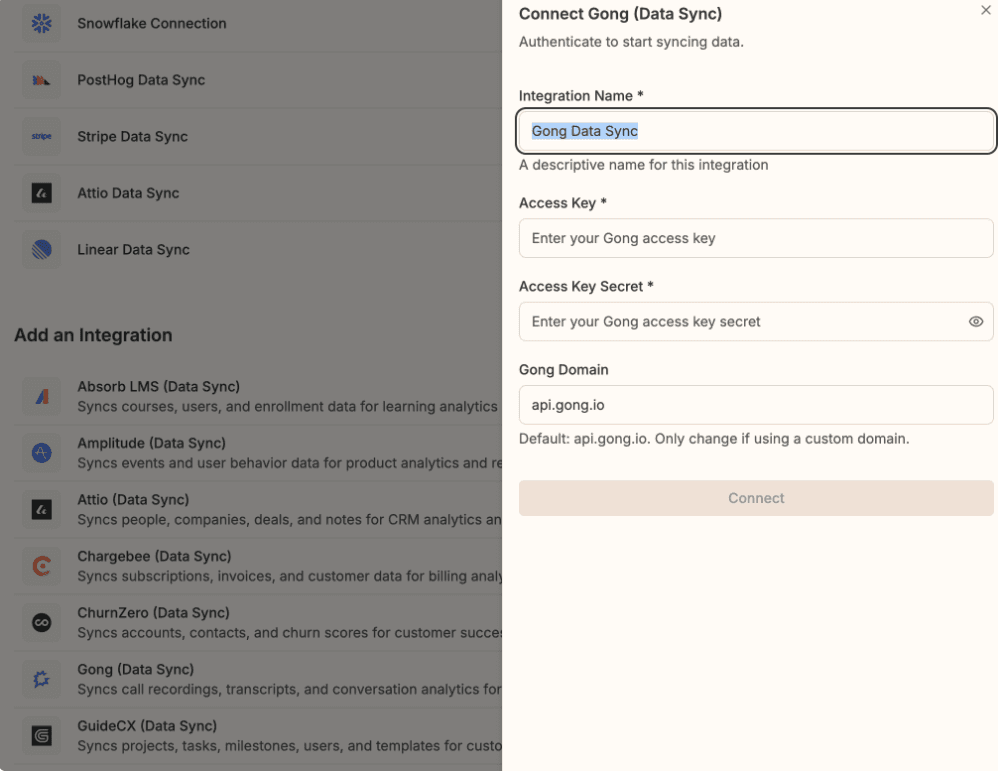
SaaS data sync connectors are live. Connect sources like Gong, Stripe, HubSpot, and 15+ other SaaS tools, and Humm syncs their to a custom data warehouse automatically. This new style connector unlocks significant performance gains for the Humm agent and we expect it to become the default for most organizations.
Note: This feature is currently in beta. Please reach out if you want to test it: support@heyhumm.ai
Claude Desktop Native Connection
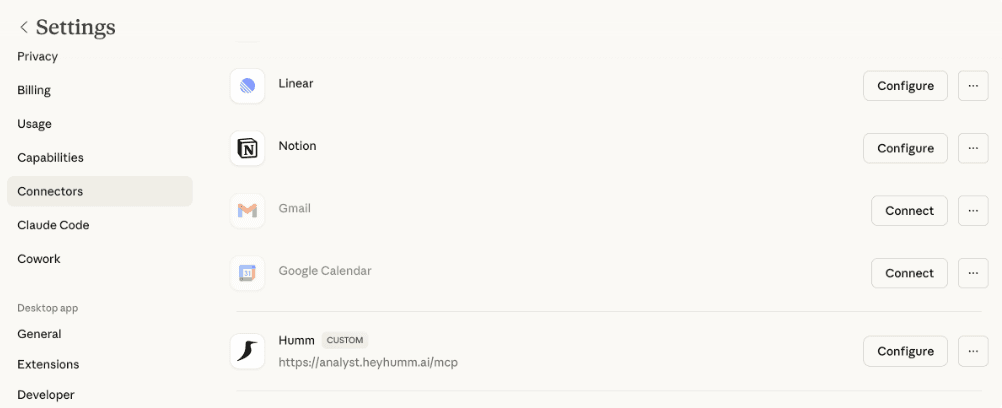
Humm now connects natively to Claude Desktop via MCP OAuth. Users add the URL, log in through Auth0, and they're connected.
@ Data Catalog References
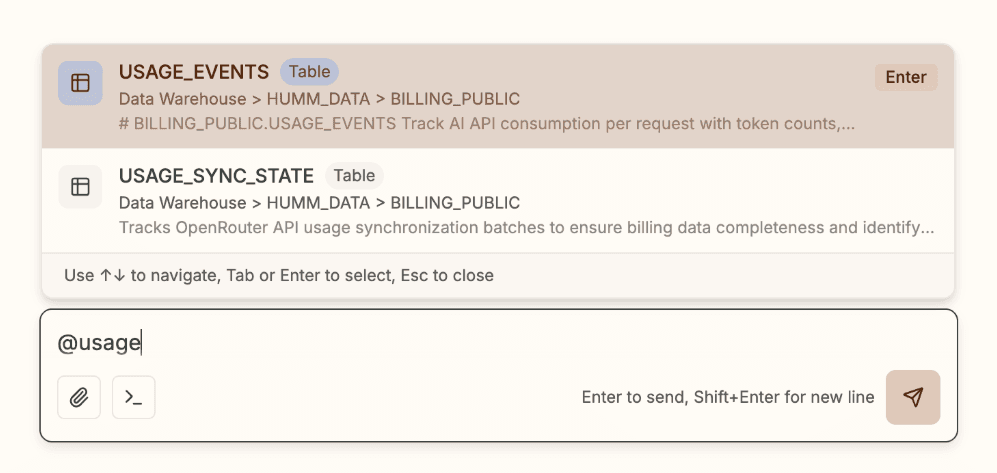
Type @ in the chat input to search and reference tables, columns, and SaaS objects inline. Selected items render as typed blue badges with hierarchy breadcrumbs. The analyst agent automatically parses these references and injects focused schema context into its prompts, giving it precise knowledge of what you're asking about.
Additional Updates
Chargebee connector fixes: Pagination, filters, response handling, and entity key unwrapping all fixed
Citation rendering: Aligned citation footnotes with remark-gfm standard
Agent tool loop fix: Stopped
get_tool_detailsfrom entering a runaway loopDelete button styling: Delete buttons and menu items made legible
Humm MCP Server
Humm now speaks MCP. An MCP server embedded in the analyst service exposes Humm's data tools (`search_tools`, `get_tool_detail`, `execute_tool`, `search_context`) to Claude Cowork, Claude Code, Cursor, and any MCP-compatible agent. Authenticate with a Humm API key and start querying your data sources from your IDE.
File Uploads
Users can now drag-and-drop CSV and XLSX files directly into chat threads. Files are parsed server-side with inline previews showing column types and sample rows. The analyst agent can read the uploaded data via `read_cache`, making it easy to ask questions about your own spreadsheets.
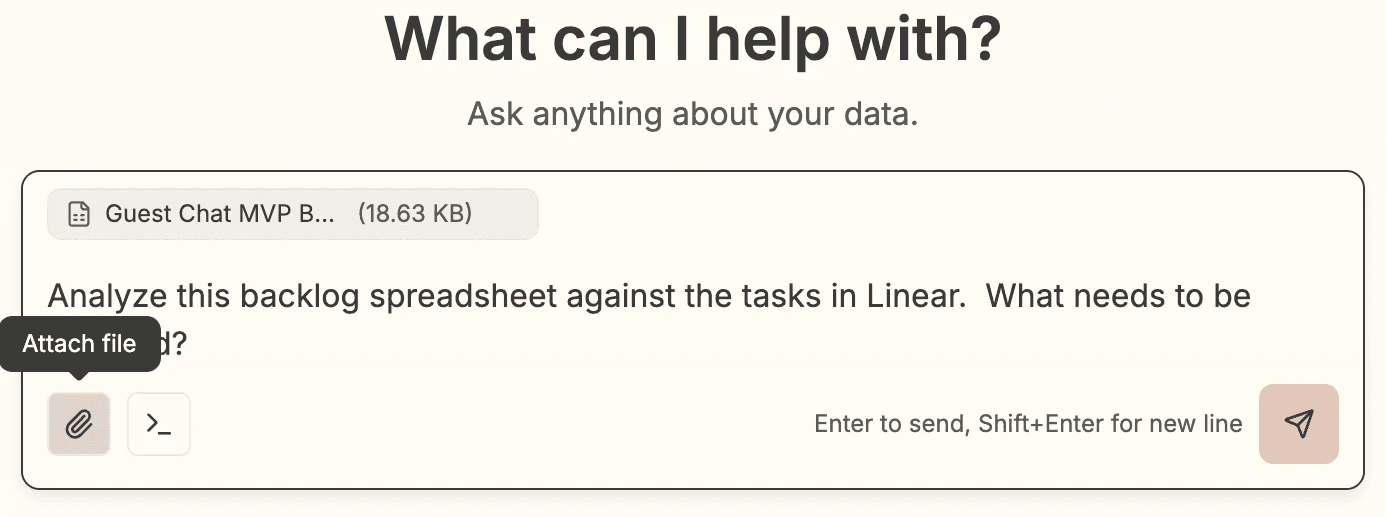
Chart Optimizer V2
Charts got significantly smarter. Dual y-axis rendering automatically kicks in when two series differ by 10x+ in scale, 3+ mismatched series get split into separate sub-charts, and an LLM layer handles ambiguous cases. A quality scorer catches degenerate charts (single bar, flat scatter) before they reach the user. Validated across 80 test cases.
Clarification Cards
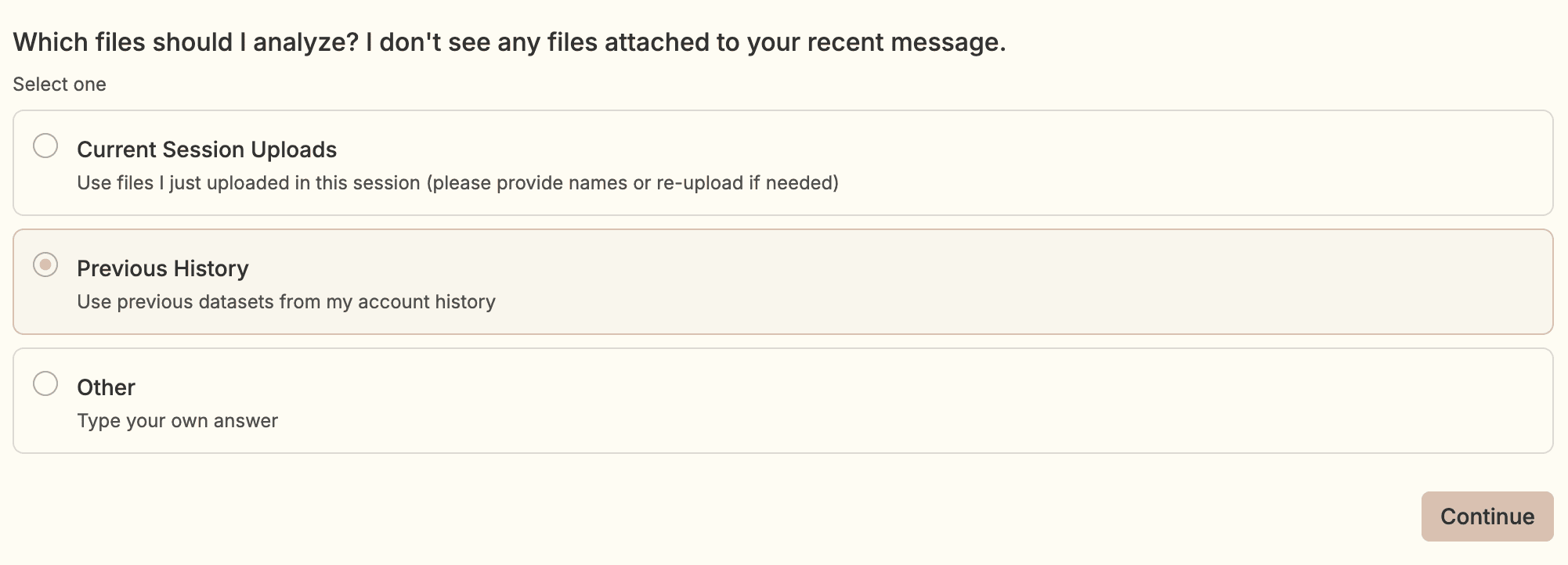
When the agent needs more information, it now presents structured clarification cards with single-select, multi-select, and free-text options in a wizard stepper UI. Cards persist in read-only mode after submission and survive page reloads.
Additional Updates
Agent Intelligence
Dynamic summarization thresholds based on model context window (was hardcoded for 128K, now scales to 1M+ models)
Meta tools for SaaS tool discovery let the agent find and use connector tools more effectively (currently in beta)
Increased runaway detection threshold to 100 AI turns to support more in depth analysis
JIRA_SEARCH_COMMENTS composite tool for searching across Jira issue comments
Frontend
Intercom chat now available in the UI for direct support access
Column filtering in InteractiveDataGrid
Improved thread rename UX
Horizontal scroll on code blocks in thread messages
Fixed tool output field rendering and restyled DataAnalyzerOutput
More Ways to Connect Your Data
This week brought three new integrations and improvements to how you connect multiple accounts. We also fixed several bugs affecting authentication, emails, and scheduled reports.
Multi-Instance Connector Support
You can now connect multiple instances of the same integration. This is useful when you have separate accounts for different regions or business units.
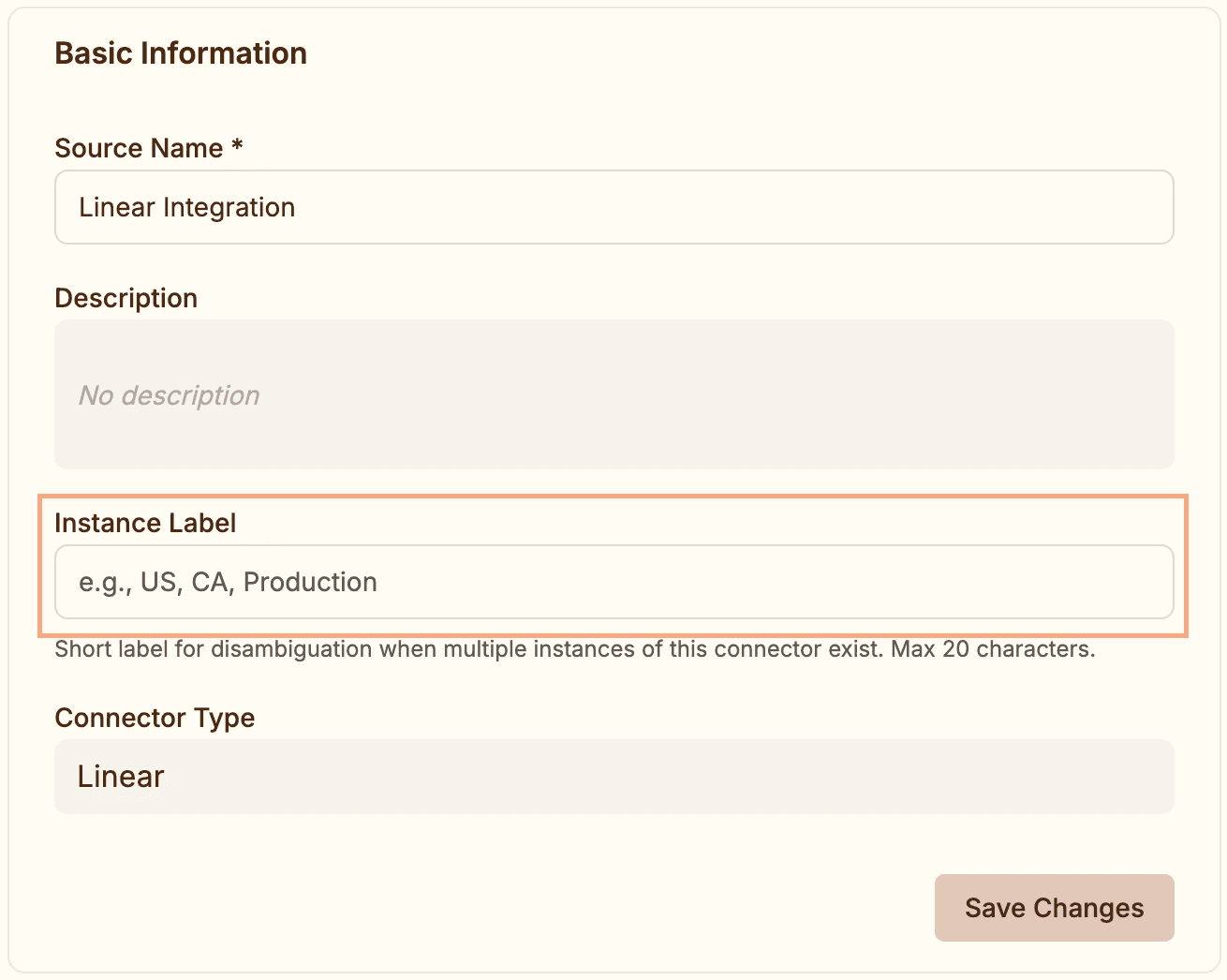
When you add an instance label (like "US" or "EMEA"), Humm qualifies tool names automatically. Instead of generic CHARGEBEE_LIST_CUSTOMERS, you'll see CHARGEBEE_US_LIST_CUSTOMERS and CHARGEBEE_EMEA_LIST_CUSTOMERS in your agent's available actions.
To add an instance label: navigate to Data → Integrations → Sources, select your connector, and enter a label in the Instance Label field (20 characters max). If you only have one instance of a connector, no label is needed.
Three New Integrations
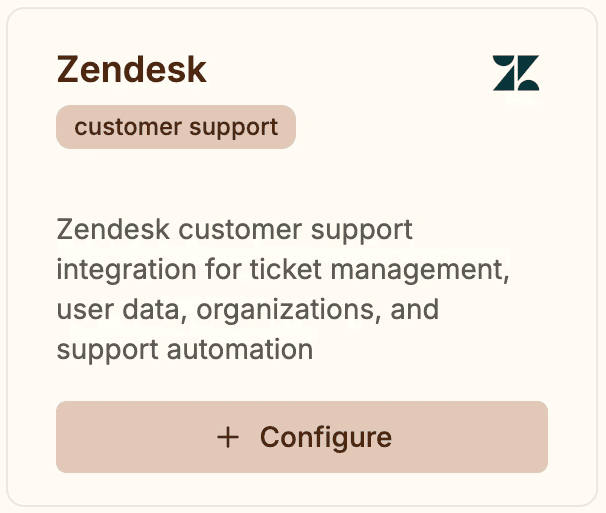
We added support for Zendesk, Amplitude, and Chargebee.
Zendesk brings in support tickets, users, organizations, groups, and satisfaction ratings. You can search tickets, retrieve comments, and analyze CSAT data.
Amplitude provides access to event tracking, cohorts, and user properties. Use this to join product analytics with your CRM or support data.
Chargebee exposes customers, subscriptions, invoices, transactions, plans, and items. Useful for analyzing billing patterns and subscription health.
All three are available in Data → Integrations → Catalog.
Improvements (3)
Replaced browser confirmation dialogs with AlertDialog components across the app for cleaner design, consistent with the rest of the interface.
Improved copy/paste behavior in the markdown input field.
Strengthened English language enforcement across the agent system. All responses, reasoning text, and status updates now consistently appear in English, even when analyzing foreign-language data.
Bug Fixes (4)
Fixed broken login button on unsubscribe page — it was pointing to
/logininstead of/auth/login, causing 404 errors.Fixed deep link preservation during authentication. When you navigate to a specific page while logged out, you now land on that page after signing in — not the homepage.
Fixed scheduled report email links, timestamps, and display names. Email links now point to the correct URL, timestamps no longer show future times for past reports, and report detail pages show the schedule name instead of internal command names.
Image Input, Command Creation, and 100x Faster Thread Loading
This release introduces multimodal chat with image support, the ability to turn conversations into reusable commands, and major performance improvements across the platform. Users can now paste screenshots directly into queries, create custom slash commands from any thread, and experience dramatically faster load times.
Image and Screenshot Support
You can now attach images and screenshots to your analyst queries. Paste from clipboard, drag-and-drop, or click the attach button to send up to 5 images alongside text. Images are compressed client-side (max 1568px, JPEG 0.92 quality, 750KB) and appear as thumbnails in chat history.
To use: Click the attach button in the chat input, paste images directly (Cmd/Ctrl+V), or drag image files into the input area. Images work with all multimodal-capable models.
Create Reusable Commands from Threads
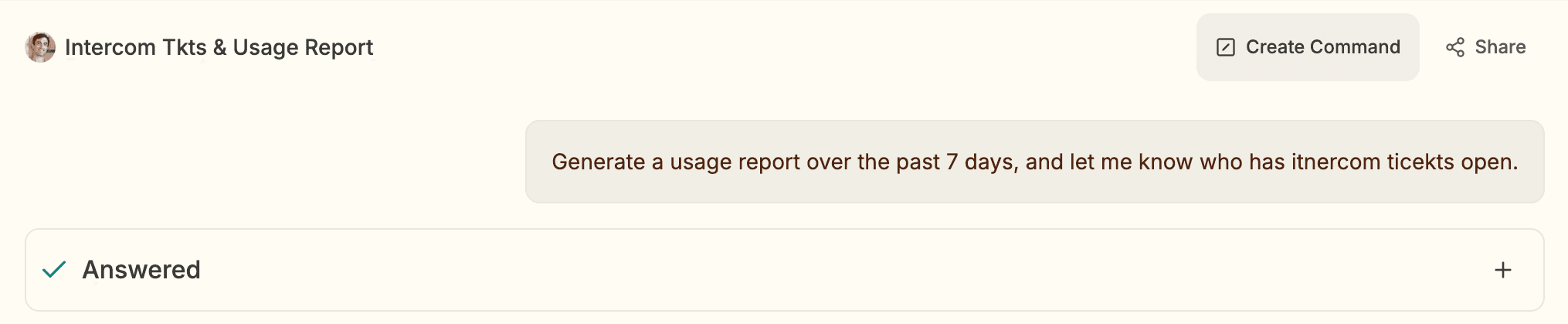
Turn any completed thread conversation into a reusable slash command. Click "Create Command" in the thread toolbar, name your command, and the system extracts the prompt pattern using an LLM. Your new command appears in the slash menu for future use.
To use: Open a thread with a conversation pattern you want to reuse, click the "Create Command" button in the toolbar, enter a unique name, and wait for generation to complete (typically 5-10 seconds). The new command is immediately available in your organization's slash menu.
Commands inherit the structure and intent of the original conversation, making it easy to codify repeatable workflows.
Manual Report Triggering
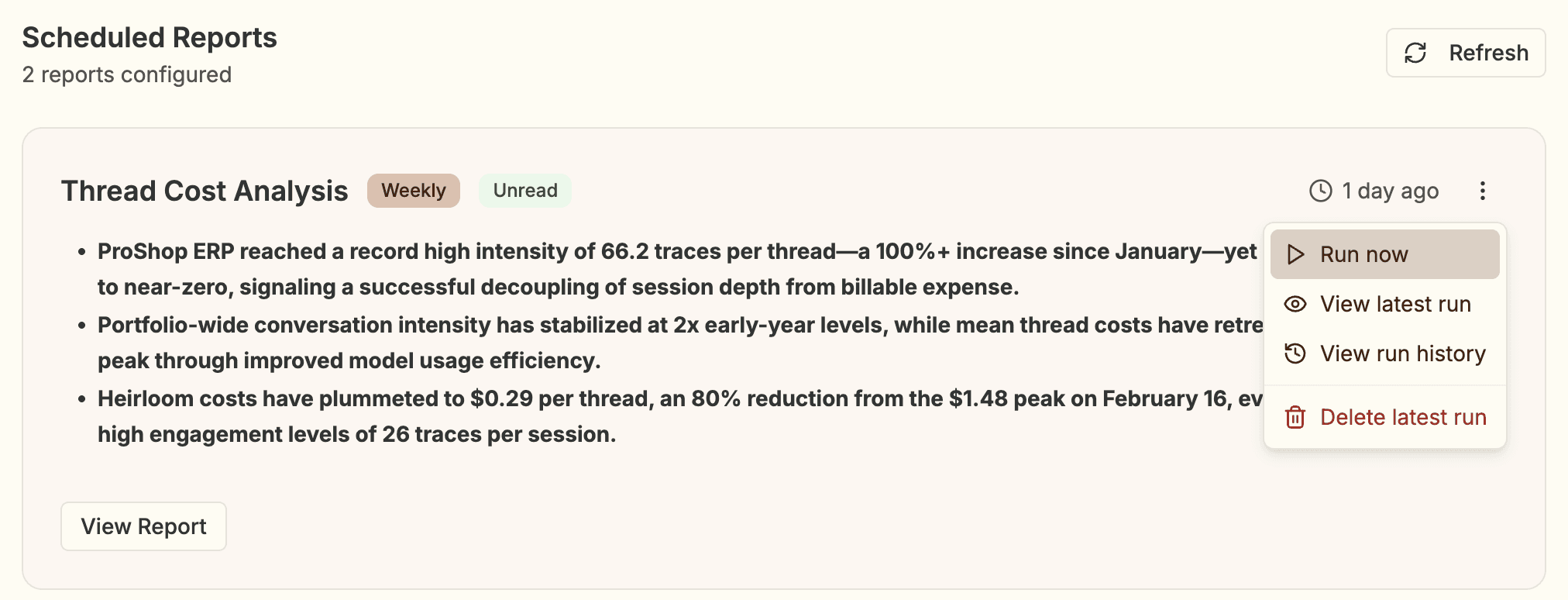
Scheduled reports can now be triggered manually via the "Run Now" button. Triggering executes in your permission context. The button disables while a run is in progress.
To use: Open the Reports inbox, locate the schedule you want to run, and click the "Run Now" button. The interface refreshes automatically when the run completes.
Thread List Performance
Thread list loading is now ~100x faster. Warm response time dropped from ~1,640ms to ~15ms.
Chart Datapoint Limits and Axis Fixes
Charts now enforce per-type datapoint limits to prevent unusable visualizations: 30 bars, 10 pie slices, 500 scatter points, 200 line/area points. When exceeded, the agent receives actionable feedback (aggregation suggestions, alternative chart types).
Scatter chart axis domains also fixed—no more wasted space with unnecessary negative ranges or buffer beyond the last tick. Y-axes crossing zero always include 0 with even spacing.
Improvements (4)
Copy button now appears on all AI messages, not just the last one
Share button replaced with dropdown: Copy URL, Share with org, Make Private
Failed report runs show friendly error message with better contrast
Removed summary truncation on scheduled reports
Added Drive read scope to BigQuery connector for Google Sheets-backed tables
Bug Fixes (3)
Fixed 405 error on report run deletion
Prevented false quality warnings when final question passes validation
Fixed table citations rendering with superscripts and links
Fixed system threads getting stuck on ask_human prompts
Fixed Chargebee tool parameter mapping to API format
Empty SQL query results now return success instead of error
Authentication, Performance, and Platform Reliability
This release focuses on session stability, platform performance, and infrastructure resilience. Users will notice smoother authentication experiences, faster API responses, and more reliable data operations across PostgreSQL and SaaS integrations.
Authentication and Session Management
Users now stay logged in for 24 hours from their last activity, instead of being forced to re-authenticate after 30 minutes.
Improvements (8)
PostgreSQL data sources can now execute SQL queries via the analyst agent (previously failed with "Unsupported data source type" despite a fully functional connector)
Pendo connector auto-corrects common agent mistakes (merged stage splitting, source reordering, sort normalization, aggregator fixes, timeSeries nesting, unicode escape decoding) instead of failing with QueryError
HubSpot tools consolidated into unified
HUBSPOT_READ_RECORDSwith smart routing (GET for single IDs preserving native associations, batch POST + associations for multiple IDs, auto-chunking >100 IDs into parallel calls)
Bug Fixes (2)
Fixed citation anchor links opening new tabs instead of scrolling within reports — internal
#citation-Nlinks now preserve scroll-to behavior while external links still open in new tabsClarified Jira
JIRA_GET_ISSUE_DESCtool to explicitly warn that parameter isissue_key, notissueIdOrKey(raw API name), reducing validation errors from agent using API documentation naming